Hands on with MCP (WhatsApp Agent)

TL;DR I setup a WhatsApp MCP server in under and hour and got my AI apps to be able to send and receive messages without giving them any instruction on how to 'use' WhatsApp. Sending automated WhatsApp messages is not something new, but leveraging MCP in this way could be synonymous with almost any technology in the world once someone has created an MCP server for it.
Having covered what MCP is in my first update I've continued to see it's growth in popularity, with MCP servers being built for all sorts of tasks and constantly popping up on my newsfeed. As such, I felt that it was the right time to return to MCP and get hands on this time! I've also recently had an idea for a silly app for me and some friends that I wanted to build in the future, and I decided to use MCP to mock up a version 0.1 via WhatsApp.
Down the line I would like to make an actual iOS/Android application (mostly to see how far AI can take me to getting something on the App Store) but for now a simple WhatsApp message will suffice as a 'notification'. The very silly idea for the app is similar to a particular feature of a popular golf app called 'The Grint' where you get notifications if one of your friends scores a quadruple bogey (a very bad scored indeed). For now, I'd be satisfied with connecting some form of AI to WhatsApp and getting it to send a message, which is the task I set out to achieve.
As previously mentioned, I have seen MCP servers popping up for all sorts of use cases and was hoping that someone would have already created an MCP server for WhatsApp rather than having to build my own one from scratch (which remains a possibility if the tool you want to use has no MCP server built yet). These MCP servers are open-source and made by the community, meaning that there is an almost infinite amount of tools that will be linked up to AI moving forward. I was in luck, and a WhatsApp MCP server had been created about a week ago!
In the spirit of learning in public I will go through all the steps taken, including some things I would have done differently. So, I got started in WSL (a mistake) as I saw I needed Python, Go, etc. and I had that all setup in WSL already. I cloned the repo, and then ran the main.go as per the repo's wiki.
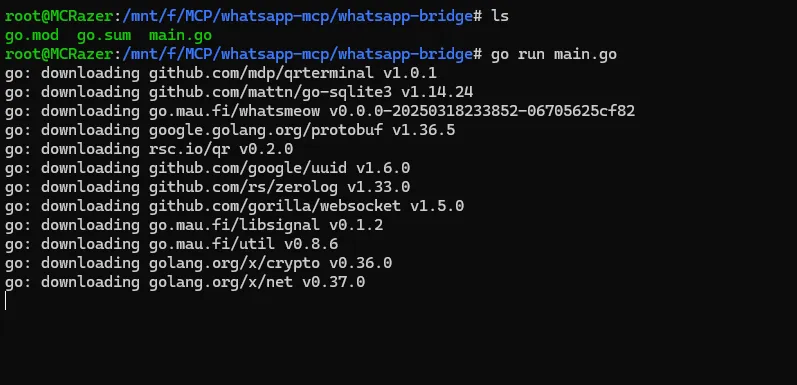
This ran smoothly and prompted me with a QR code to link my WhatsApp account to this MCP server:

After linking the accounts the WhatsApp messages synced with the server, including some messages from our golf chat!

Once the sync was complete our MCP server was up and running. To summarise, what we have done thus far is to connect the MCP server to our account and then run the server locally on a specific port. Now, all messages passing to and from WhatsApp can be seen in this server log for as long as we leave the server running. More importantly, our MCP client (which we are about to cover) can interact with this server and send and receive messages using some of the premade functions the author of the server has setup for us.
I created a group chat that would be where the 'notification' messages would be sent and made my first attempt at integrating the MCP server into Windsurf, my IDE of choice and what would function as our MCP client in this case (but this could be any IDE, Claude Desktop, an app, etc.).

Using the MCP tool drop down in the IDE and clicking 'Configure' we launch the config file where we declare what MCP tools our AI can use, which is where I realised that my current setup was probably not going to work. I had installed the dependencies for the server and had it running within WSL, but Windsurf was running in Windows meaning I was going to face PATH conflicts at the very least. Having fought this battle many times in the past I decided it would be quicker and easier to install the server and it's dependencies (Go, Python, Uv, Gcc, etc.) in Windows.
A few errors and some troubleshooting later I had the server setup and running nicely in Windows

Finally, after some more issues with uv.exe and needing to provide the full path I had added the below to my MCP config file and I could see that there was 1 available MCP tool for Windsurf to use!

By clicking on the tool I could also see what features the author had put into the MCP server. Remember, this is an open-source project created by a single person, meaning it can be reused, improved upon, expanded, etc. forevermore. Who knows how complex some of the MCP servers built for popular apps may become! For now though this had all I needed - send and read messages!

Sending a test message to the group chat I wanted to use I could see the ID values I would need to provide the server:

With everything in place I gave it a whirl, fully expecting that I'd missed out something important:

But low and behold, it worked!
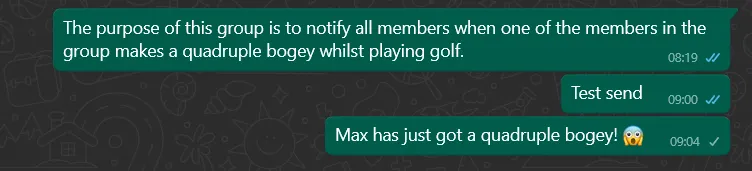
After a small celebration that things just worked for once I wanted to see if the processing of messages would also work right out the gate. As you can see in the message above I had put a message explaining what the purpose of the group chat was and wanted to see if the LLM using this tool would be able to process that:

As you can see, it has tried to answer the question based on the name of the group and has not read the message in which I explained the purpose. With a slightly improved (but not completely self-explanatory) prompt this got working too:

As you can see by just nudging the LLM that there were messages that contained the information it was looking for it issued the message read requests and successfully processed the output. All in all, very cool.
But so what? What is the impact of something like this? Well, let's start off by talking about just this single MCP server that I setup. Watching a tutorial on the topic I was struck by this slide:
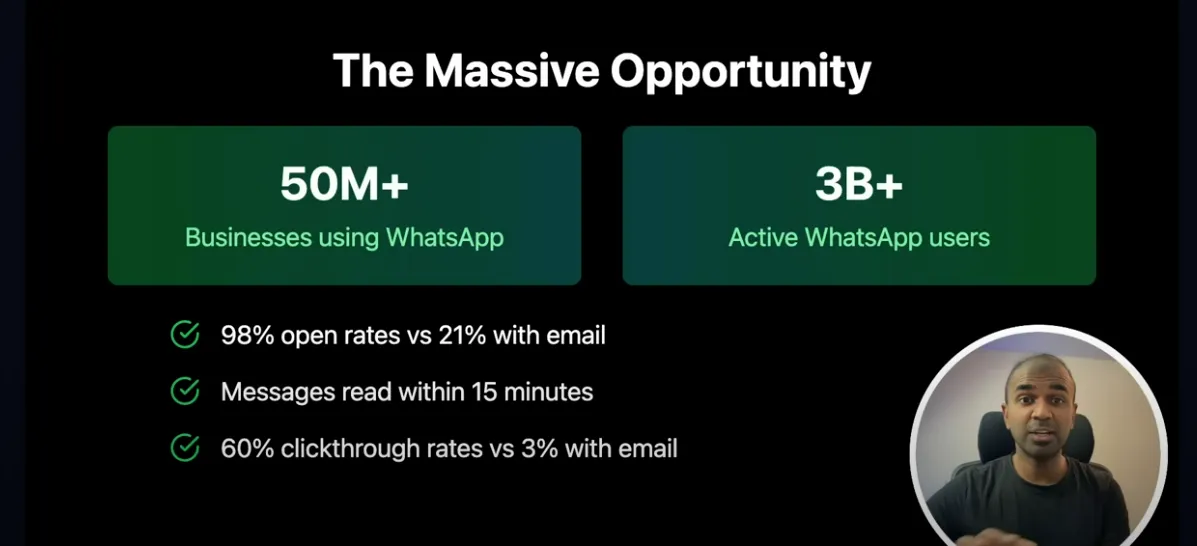
3B+ active users, 98% open rates, 60% click through rates..How many businesses around the world currently use or could start using WhatsApp? Well, now you have a free way of connecting AI to your corporate WhatsApp account, give it all the information it may need, send messages, reply to customers, or whatever else you might want to do.
Developing the agentic framework surrounding this tool, the author of the above videos envisions a world where your morning coffee is spent reading what your AI agents (this being one of them) have been up to:
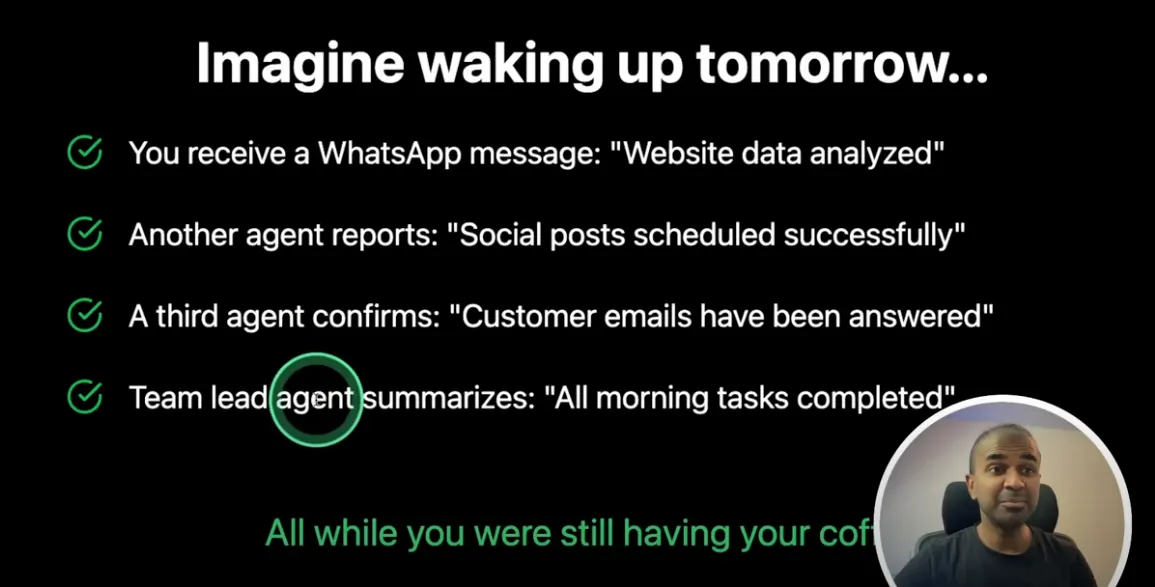
But really, even this is over simplifying the impact here. What we have done is allowed AI to use WhatsApp without having to write any code, explain how the WhatsApp API works, troubleshoot any errors, or really do much at all beyond installing some dependencies, running a local server and then telling the LLM what we want to happen in plain English. This was the value MCP was promised to bring, and this demo proves its doing that.
When you take this view of technology integration and fast forward a few months / years you begin to see why there is so much hype around MCP, with OpenAI even adopting it as a standard despite it coming from one of their competitors! Rich MCP server marketplaces, seamless integrations, agents for every day tasks..the potential here is enormous.
That's all we've got time and space for today sadly - catch you next week!


Bake Security into your agent pipeline.